Laptop Bags vs Backpacks for Employee Gifting: How to Choose by Team Type
A laptop bag is one of the safest corporate gifts a company can order — useful every working day, visible in professional settings, and suitable for almost every employee group. The mistake is not in choosing a bag. The mistake is in choosing the wrong form for the team that will carry it.
Give a structured laptop bag to a field sales executive who walks between client sites all day, and it spends its life slung over one aching shoulder. Give a casual backpack to a senior leader who carries it into a board meeting, and the gift quietly works against the impression the company wanted to make. Both are good products. Neither is right for everyone.
This guide is a head-to-head comparison, not a catalogue. It compares a laptop bag and a backpack across the seven dimensions that decide which one your recipients will actually use — laptop-size fit, compartment layout, carry comfort, professional appearance, cabin and travel fit, branding area, and daily handling — and then settles the choice team by team, from office-based staff to field sales, IT teams, senior leadership and event attendees. If you are still deciding whether a bag is the right gift category at all, start with Arrow Gifter’s corporate bags and backpacks guide, which covers the full range of bag types, materials, branding and budgets. This article picks up where that overview stops: the laptop bag versus the backpack, decided properly.
Everything below is written for buyers ordering in bulk in India — typically 50 to 5,000 units — who need to compare supplier quotes on equal terms and check a sample properly before production runs.
First, Define the Two Options
Before comparing, it helps to be precise about what each form is, because suppliers use the words loosely and a “laptop bag” in one quotation can be a very different product from a “laptop bag” in another.
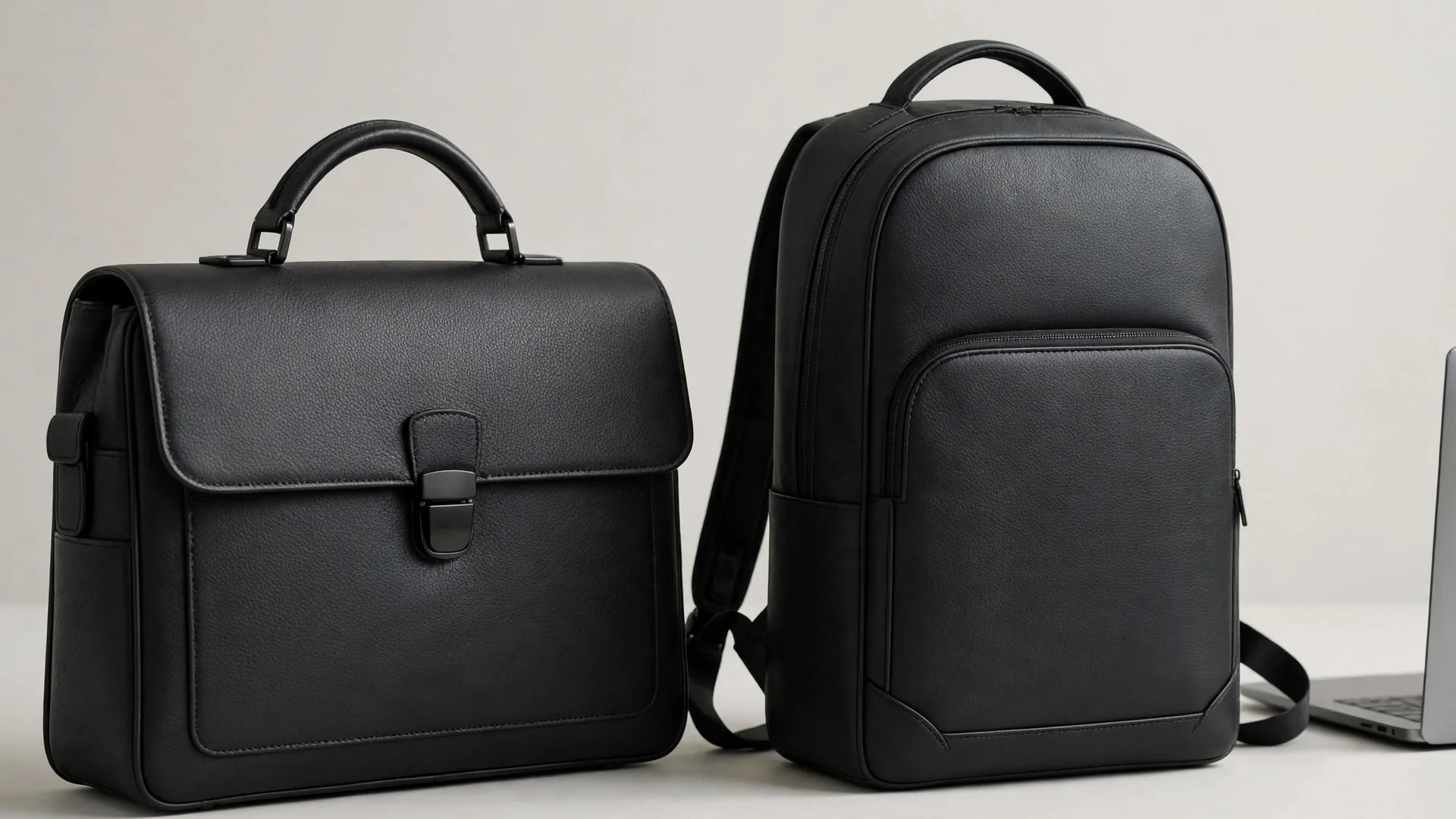
A laptop bag — also sold as an office bag, executive bag or messenger-style work bag — is a structured, hand- or shoulder-carried bag. It usually has a flat, rectangular shape, a single shoulder strap (sometimes plus short grab handles), a padded laptop compartment that opens from the top or the side, and a document section. It is designed to be carried into a room, set down beside a chair, and opened flat on a desk or meeting table.
A backpack is a two-strap bag worn on the back. A corporate laptop backpack has a padded laptop compartment (usually against the back panel), a main compartment, a front organiser section and, in better designs, a water-bottle pocket and a luggage sleeve that slides over a cabin bag handle. It is designed to be carried hands-free over distance — across a campus, through a metro station, between buildings.
The distinction matters because the two forms optimise for different things. A laptop bag optimises for appearance and quick access. A backpack optimises for comfort and capacity over distance. Every comparison below is really a version of that single trade-off, applied to a different situation.
One caution before the detail: neither form is inherently premium. A well-made backpack in a clean, structured design can look more professional than a cheap, floppy laptop bag, and a well-made laptop bag can be more comfortable than a badly designed backpack. Quality sets the floor; form decides the fit. Judge both on the same sample standard, and decide the form on the team, not the price tag.
1. Laptop-Size Fit: 13-Inch, 14-Inch and 15.6-Inch
Laptop fit is the first dimension to settle, because it is the one that produces the most returns, complaints and unused gifts. A bag that does not fit the recipient’s laptop is not a gift; it is a storage problem.
The three sizes that matter
Most company-issued laptops in India fall into three sizes, and the size bands are not interchangeable:
- 13-inch laptops (including many ultrabooks and MacBook Air-class machines) fit almost any laptop bag or backpack with a padded compartment. Fit is rarely the deciding factor here — comfort and appearance are.
- 14-inch laptops are the most common business issue size. They fit most laptop bags and most backpacks, but the margin is thin: a bag advertised as “fits up to 14-inch” may fit a bare 14-inch laptop and fail the same laptop inside a protective sleeve.
- 15.6-inch laptops are the pinch point. Many laptop bags — especially slim, structured ones — are built around a 14-inch or 15-inch compartment and will not close comfortably around a 15.6-inch machine. Backpacks handle 15.6-inch laptops more reliably, because their compartment is usually deeper and the bag’s structure flexes.
How to specify fit in a bulk order
Do not accept “fits up to 15.6-inch laptop” on a supplier’s word. Ask for the internal compartment dimensions in centimetres, and compare them with the actual laptops your teams use — including the sleeve or case, if employees use one. A laptop that measures 36 × 25 cm needs a compartment with at least a centimetre of clearance on each side, not a compartment that measures exactly 36 × 25 cm. Also ask about depth: a compartment that is the right height and width but only 2 cm deep will not hold a laptop plus its charger cable tucked alongside it.
When your workforce uses mixed laptop sizes — and most do — order for the largest laptop in the group, not the average. A bag that fits a 15.6-inch laptop also fits a 13-inch one, with a little spare room. The reverse is not true. If you are ordering one bag for the whole company, the 15.6-inch fit is the specification that keeps the gift usable for everyone.
Verdict on fit: Backpacks win on fit, particularly at 15.6 inches, because of deeper compartments and more flexible structure. Laptop bags win only when you know the whole recipient group uses 13-inch or 14-inch machines and you have verified the internal dimensions against a sample.
2. Compartment Layout and Everyday Organisation
Fit decides whether the laptop goes in. Layout decides whether the bag gets used every day — and a bag that is annoying to organise is a bag that gets left at home.
What a laptop bag does well
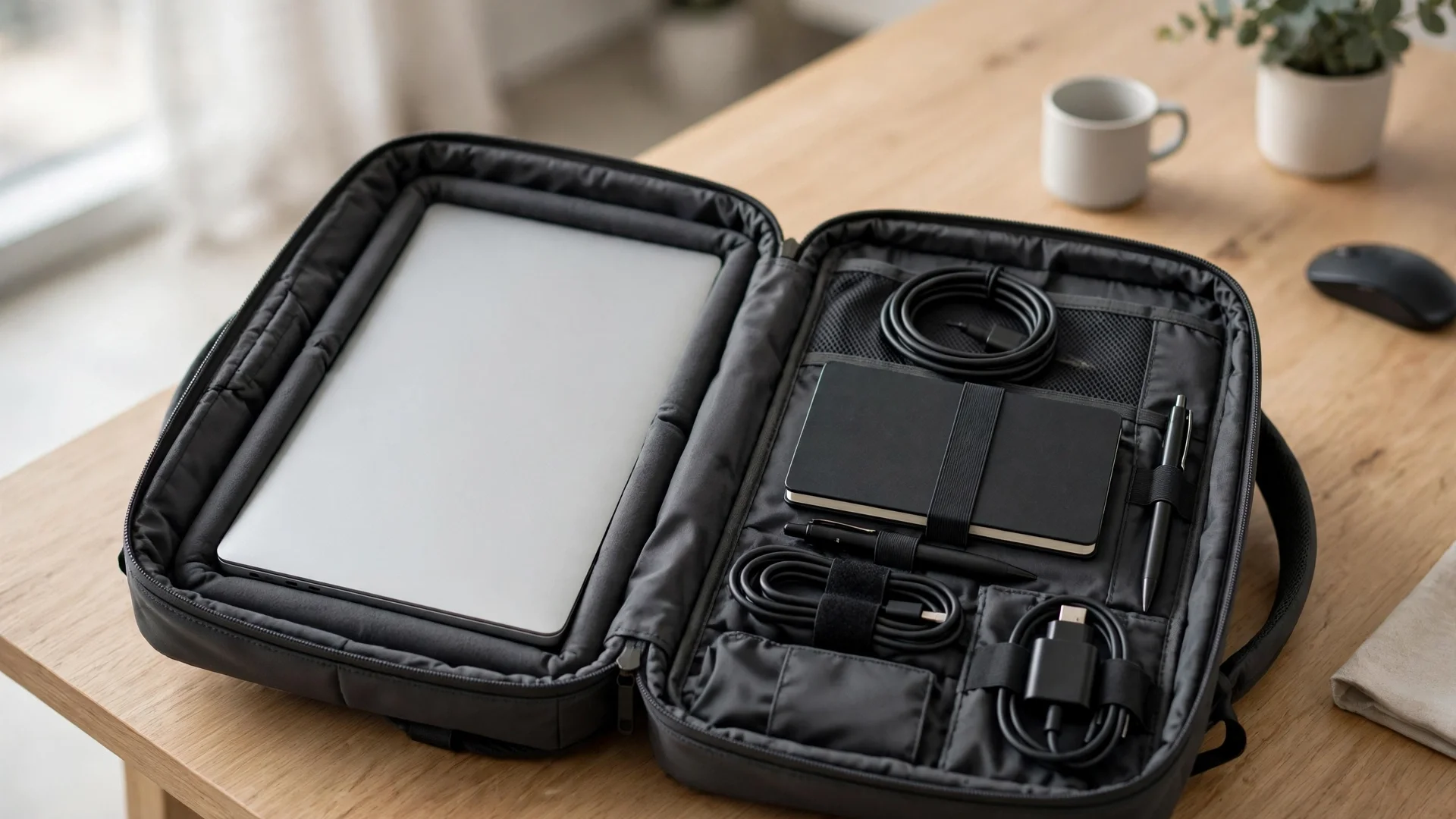
A structured laptop bag usually opens wide and lies flat, so the recipient can see everything at once: laptop in its sleeve, documents in the main section, phone and pens in the front organiser. For someone who works from a desk and dips into the bag a dozen times a day — a charger, a notebook, a visiting card — that flat, visible layout is genuinely faster. Many laptop bags also have a dedicated document section that keeps A4 papers flat and uncreased, which matters for client-facing staff who carry printed proposals.
What a backpack does well
A backpack’s layout is vertical rather than flat, and that changes how it is used. The laptop sits against the back panel, the main compartment holds a jacket, lunch box or gym kit, and the front organiser holds cables, chargers and stationery. For an employee who carries more than a laptop — a water bottle, a tiffin, a change of shoes, a power bank — the backpack’s capacity and separate pockets are the practical advantage. A power bank and its cable, for instance, sit far more naturally in a backpack’s front organiser than in a slim laptop bag that has no room for either.
The checks that matter
Whatever the form, ask the supplier for a photograph or a sample of the interior, not just the exterior. Check four things: whether the laptop compartment is suspended (raised off the bottom, so the laptop does not hit the ground when the bag is set down); whether the charger and cables have their own pocket rather than floating loose; whether there is a genuinely usable water-bottle pocket (many laptop bags have none, and many backpacks have one too shallow to hold a 1-litre bottle); and whether the zips open wide enough to reach the bottom of the compartment without emptying the bag. These four details decide daily usability far more than the number of pockets printed on the specification sheet.
Verdict on layout: Laptop bags win for desk-based workers who need fast, flat access to documents and a laptop. Backpacks win for anyone who carries more than the laptop — commuters, field staff, and employees who treat the bag as their daily carry-all.
3. Carry Comfort: Who Carries It, and How Far
Comfort is the dimension buyers underestimate most, because they evaluate a bag by holding it in a meeting room, not by carrying it for forty minutes. Your recipients will carry it every day. Comfort decides whether they keep doing so.
The physics of the two forms
A backpack distributes weight across both shoulders and the back, close to the body’s centre of gravity. A laptop with its charger and a few notebooks weighs 2.5 to 3.5 kg; carried on two straps, that load is manageable for a long commute. A laptop bag concentrates the same weight on one shoulder. Over a short walk — office car park to desk — that is no problem at all. Over a 30-minute metro ride, a walk across a large campus, or a day of moving between client offices, a single strap becomes a real burden, and the bag gets carried in the hand, swapped between shoulders, or left behind.
Who feels the difference
Comfort matters most for three groups: employees with long commutes on public transport; field staff who walk between sites; and anyone carrying a 15.6-inch laptop with its charger, because that is the heaviest common combination. It matters least for employees who drive to work and walk a short distance from the car park, and for senior staff whose bag is carried from a car into a meeting room and back.
Strap quality is the other half of comfort, and it is where cheap bags fail. On a backpack, check that the shoulder straps are padded, adjustable and wide enough to spread the load, and that there is a chest strap on larger designs. On a laptop bag, check that the shoulder strap is wide, padded, and detachable — a narrow unpadded strap is the single most common comfort complaint in laptop bags. Ask for a sample and wear it loaded for ten minutes, not ten seconds. Ten seconds tells you nothing.
Verdict on comfort: Backpacks win clearly for anyone who walks or uses public transport with a loaded bag. Laptop bags are comfortable enough for short, car-based carries, and lose their appeal quickly beyond that.

4. Professional Appearance: Boardroom vs Campus
Appearance is the dimension where the laptop bag has traditionally won — and where the gap has narrowed fastest. It still matters, because a corporate gift is also a brand signal, and the bag is carried in front of clients, partners and senior colleagues.
Where a laptop bag looks right
A structured laptop bag in a dark, matte finish reads as formal. It pairs naturally with business attire, sits neatly beside a chair in a meeting, and looks at home in a boardroom, a client office or a conference stage. For CXOs, senior managers, client-facing consultants and anyone whose working day is a sequence of meetings, the laptop bag’s appearance is its strongest argument. It signals the same thing a tailored jacket does: this person is here to do business.
Where a backpack has caught up
The old objection to backpacks — that they look like student kit — no longer holds for well-designed corporate backpacks. A slim, structured backpack in charcoal, navy or black, with minimal external branding and clean lines, looks entirely appropriate in most modern offices, particularly in IT, startups and creative teams. The backpacks that look wrong at work are the ones with bright colours, bulky silhouettes, dangling straps and large logos — and those are design choices, not a property of the form.
The practical rule is to match the bag to the recipient’s working environment, not to an abstract idea of formality. A backpack that looks right in a Bengaluru tech campus can look out of place in a law firm’s client meeting; a laptop bag that looks right in that meeting can look stiff and impractical on a factory floor. Judge the design in the context it will be seen in.
Verdict on appearance: Laptop bags win for formal, client-facing and senior roles. Modern structured backpacks are fully acceptable in most office, tech and campus environments — the gap is now about design quality, not form.
5. Cabin and Travel Fit
For employees who fly for work, the bag’s travel behaviour matters as much as its desk behaviour. This is also the dimension where a wrong choice creates a visible, memorable failure — a bag that does not fit under an aeroplane seat, or that has to be checked in.
Under-seat and overhead fit
A laptop bag’s flat, rectangular shape fits neatly under most aeroplane seats and slides easily into an overhead bin alongside a cabin bag. It also works well as the “personal item” that rides under the seat while the cabin bag goes overhead. A backpack’s fit depends on its size: a slim 20–25 litre laptop backpack fits under most seats, while a large 30-litre-plus travel backpack may not, and may need to go overhead. Before ordering backpacks for travelling teams, ask the supplier for the bag’s external dimensions and compare them with the cabin baggage limits of the airlines your teams actually fly. Airline cabin baggage rules vary, and the Directorate General of Civil Aviation (DGCA) publishes the regulatory framework for baggage carriage in India — check the current rules at dgca.gov.in and the specific airline’s limits before you commit, since the limits are the airline’s, not the supplier’s.
The luggage sleeve
One feature decides travel convenience more than any other: the luggage sleeve (also called a trolley strap) — a strap on the back panel that slides over the extended handle of a cabin bag. It lets the traveller wheel the cabin bag with the laptop bag riding on top, hands free. Good travel backpacks often have one; structured laptop bags increasingly do too. If your teams travel by air regularly, make the luggage sleeve a required specification, not a nice-to-have, and check on the sample that it fits your cabin bags’ handles. A sleeve that is too tight or too loose is worse than none.
Weight when empty
Travel also exposes empty weight. A heavy bag is a burden before anything is put in it. As a rough guide, a corporate laptop bag should weigh under 1 kg empty, and a laptop backpack under 1.2 kg. Ask the supplier for the empty weight and weigh the sample. If two bags look the same and one is 400 g heavier empty, your recipients will feel that difference on every trip.
Verdict on travel: Laptop bags win for air travel as a personal item — flat shape, easy under-seat fit. Backpacks win for the journey around the flight — hands-free through airports and stations — provided they are slim enough to fit under a seat and have a working luggage sleeve.
6. Branding Area: Where Your Logo Actually Lands
A corporate gift carries the company’s brand, and the two forms offer very different branding surfaces. This is the dimension where buyers are most often disappointed after delivery, because the branding they imagined does not fit the bag they ordered.
The laptop bag’s branding advantage
A structured laptop bag has a large, flat front panel — the ideal surface for a logo. Screen printing and embroidery both sit well on a flat, stable panel, and a debossed or metal logo plate looks particularly good on a structured bag. Because the panel is flat and visible when the bag is carried by hand or set on a table, the brand is seen in exactly the settings the company cares about: meetings, receptions, client offices.
The backpack’s branding constraint
A backpack’s branding area is smaller and curved. The natural placement is the front pocket or the upper front panel, and both are narrower than a laptop bag’s panel. Large logos look cramped; small, discreet logos look better but are less visible. Embroidered logos work well on backpacks because the fabric is usually stable enough to hold stitching; large screen-printed designs can crack as the bag flexes. If your brand guidelines require a prominent logo, a backpack may not give you the space to do it well. If your brand prefers discreet branding, the backpack’s smaller area is an advantage, not a problem.
What to check before production
Whatever the form, approve a physical branded sample — never a digital mock-up alone. Check the logo’s size against the actual panel, the stitching or print quality on the real fabric, and how the branding looks when the bag is loaded and carried (a logo that sits perfectly on an empty bag can warp or fold when the bag is full). The sample approval checklist covers the full pre-production checks; for bags specifically, the branding sample is the check that most often saves an order from an expensive mistake.
Verdict on branding: Laptop bags win for prominent, visible branding — larger, flatter panels. Backpacks suit discreet branding, and suit it well; they are the wrong form if your brand needs a large, high-visibility logo.
7. Access, Security and Daily Handling
The last comparison dimension is the least glamorous and the most felt day to day: how the bag opens, how quickly things come out, and how safe its contents are.
Quick access
A laptop bag wins on access. It opens from the top or the front, lies flat, and gives immediate reach to the laptop, documents and phone. At airport security, in a meeting, or at a client reception, that speed is useful: the laptop comes out without removing the bag from the shoulder or setting it down. A backpack requires the wearer to take it off, set it down and open it — slower, and awkward in a crowded lift or a security queue. Some backpacks now offer side laptop access, which helps, but it is not as fast as a top-opening laptop bag.
Security and pickpocketing
A backpack’s contents sit behind the wearer, which makes it more vulnerable in crowded public transport — the classic reason travellers prefer bags they can keep in front of them. A laptop bag worn across the body or carried in the hand stays in the wearer’s sight and reach. For employees who commute by metro or bus, this is a genuine consideration, and it is worth mentioning honestly: a backpack with a hidden rear pocket or a lockable main zip closes much of the gap, but a bag that stays in front of the wearer is inherently easier to protect. Either way, advise recipients (and tell your supplier you care) about zips that sit against the back panel or under a flap, rather than exposed on the front.
Standing, setting down, and staying tidy
A structured laptop bag stands upright on the floor beside a chair and keeps its shape when half empty. A soft backpack slumps, slides, and needs to be hung or propped. In a meeting room, that difference is visible: the laptop bag looks tidy, the slumped backpack looks untidy. It is a small thing, and it is exactly the kind of small thing recipients notice and judge the gift by.
Verdict on handling: Laptop bags win on access, security and tidiness in meetings. Backpacks win on hands-free carrying — the trade-off is real, and it is decided by how the recipient actually moves through their day.
The Head-to-Head Scorecard
| Dimension | Laptop bag | Backpack | Winner |
|---|---|---|---|
| 15.6-inch laptop fit | Often tight; verify internal dimensions | Deeper, more flexible compartment | Backpack |
| Compartment layout | Flat, fast access; great for documents | Vertical; better for carrying more than a laptop | Depends on load |
| Carry comfort | Good for short, car-based carries | Two-strap weight distribution for long commutes | Backpack |
| Professional appearance | Formal; boardroom-ready | Modern structured designs suit most offices | Laptop bag (formal settings) |
| Cabin / travel fit | Flat shape fits under seats easily | Needs a slim profile + luggage sleeve | Laptop bag (as personal item) |
| Branding area | Large, flat panel; prominent logo | Smaller, curved area; discreet branding | Laptop bag (prominent branding) |
| Access & security | Fast access; stays in front of wearer | Hands-free, but slower access and behind the wearer | Laptop bag |
| Capacity beyond the laptop | Limited | Room for jacket, tiffin, gym kit | Backpack |
No form wins everything. That is the point: the right answer depends on the recipient’s working day, and the rest of this guide settles it team by team.
Choose by Team Type
Office-based and HQ teams: laptop bag
Employees who drive to work, sit at a desk, and move between meeting rooms get the most from a structured laptop bag. Their commute is short, their carry is light, and the bag is seen by colleagues and visitors all day. Order for the largest laptop in the group, choose a dark, matte finish, and keep the branding visible but restrained. For teams that also need a broader gifting plan, the same logic applies across the programme: choose the form that matches the working day, not the catalogue photograph.
Field sales teams: backpack
Field sales staff walk between client sites, carry samples or catalogues alongside a laptop, and spend their day on their feet. A single-strap bag is a poor tool for that day. A backpack with a padded 15.6-inch compartment, a water-bottle pocket and a luggage sleeve is the right specification, and it pairs naturally with the rest of a field kit — our guide to gifts for field sales teams covers what else belongs in that kit. Choose a water-resistant fabric: field staff get caught in the rain, and a laptop that survives the commute is worth more than a logo that looks good in a photograph.
IT, tech and hybrid teams: backpack (structured, slim)
IT and SaaS teams are the natural backpack audience: they carry a laptop plus a charger, a power bank, headphones and sometimes a second device; they commute on metro and bus; and their offices accept a smart backpack without a second thought. Choose a slim, structured design in charcoal or navy — not a bulky hiking style — and verify the 15.6-inch fit, since developer and data laptops are often the largest. If you are planning a wider programme for these teams, our corporate gifts for IT and SaaS companies guide covers onboarding kits, remote-team gifts and the other items that sit alongside the bag.
Senior leadership, CXOs and client-facing staff: laptop bag
For senior leaders and anyone whose bag is seen by clients, the laptop bag is still the safer choice. Appearance and access matter more than capacity here: the bag goes from car to meeting room, opens flat on the table, and carries a laptop and documents — nothing more. Choose premium materials, discreet branding (embossing or a small metal tag rather than a large print), and a finish that matches the company’s image. For the wider senior-gifting context, see our guides to promotion gifts for new managers and gifts for investors and board members — the same judgement applies: the gift should look like it belongs in the room it is carried into.
Frequent travellers: backpack with a luggage sleeve — or a laptop bag as the personal item
Travelling teams split into two good answers. If the bag is the traveller’s only bag, a slim backpack with a luggage sleeve wins: hands-free through airports, room for a change of clothes, and it rides on the cabin bag. If the traveller already has a cabin bag, a laptop bag is the better personal item: flat, under-seat, and fast at security. Ask your travel team which pattern is more common before you order, and check the airline cabin limits — a bag that fits one airline’s personal-item rules may not fit another’s.
Event and conference attendees: laptop bag
For conferences and events, the recipient carries the bag for a few hours, not a full working day — and the bag is a visible brand surface in a crowded hall. A laptop bag (or a laptop sleeve paired with a tote) is the better event gift: it is easy to hand out, looks good in photographs, and carries the day’s essentials. Our guide to speaker and guest gifts for conferences and events covers how event bags fit into the wider event gifting plan.
New joiners and welcome kits: backpack for most, laptop bag for formal roles
A welcome kit bag is the first physical object a new employee receives from the company, and it sets a tone. For most roles, a backpack is the right welcome-kit choice: new joiners carry more in their first weeks (documents, a laptop, personal items), and a backpack is the form they will use daily. For formal, client-facing or senior roles, a laptop bag sends the right signal from day one. Either way, pair the bag with the items that make a kit — a notebook, a pen, a bottle — rather than giving the bag alone. And note the minimum order quantity position: welcome-kit bags are typically a recurring order, so negotiate the MOQ and the re-order price together, not just the first batch.
Support, admin and facilities teams: backpack
Admin, facilities and support staff move around a building or a campus all day, carry tools, registers and devices alongside a laptop, and need their hands free. A backpack suits that working day better than a single-strap bag. Choose durable fabric and reinforced stitching over premium finishes: this bag will be used hard, and a bag that survives a year of daily use is a better gift than a prettier one that falls apart in three months.
When to Order Both
Some companies do not need to choose. If your workforce clearly splits — office-based staff and field staff, or senior leadership and everyone else — order both forms, in the right proportions, and give each team the form that fits its day. Two specifications cost a little more in sampling and supplier management, but the alternative is worse: one form given to everyone, used happily by half the company and left in a cupboard by the other half.
A tiered approach also works well: a laptop bag for senior and client-facing roles, a backpack for everyone else. It mirrors how companies already tier other gifts, and it avoids the awkwardness of giving a visibly different gift to different levels — because here the difference is visibly about the job, not the status. Whatever you do, do not split the order arbitrarily (for example, by first-come-first-served at a distribution desk). Assign the form by team, in advance, and label the cartons by team so distribution is quick and error-free.
Common Mistakes to Avoid
- Ordering for the average laptop. Order for the largest laptop in the recipient group. A bag that fits a 15.6-inch laptop fits a 13-inch one; the reverse is not true.
- Judging comfort empty. A bag feels fine empty. Load the sample with a laptop, charger and notebook, wear it for ten minutes, and then decide.
- Choosing by catalogue photograph. Photographs hide depth, strap quality and interior layout. Always approve a physical sample — and a branded sample, not a blank one.
- Putting a large logo on a backpack. The branding area is smaller and curved. A logo sized for a laptop bag will look cramped on a backpack. Size the branding to the form.
- Ignoring the commute. The buyer drives; the recipient takes the metro. Ask how recipients actually travel before choosing a single-strap bag.
- Forgetting the water bottle. Many laptop bags have no bottle pocket at all. If your teams carry a bottle, that alone can decide the form.
- Splitting the order without labelling. Two forms, one distribution desk, unlabelled cartons — and the field team gets the laptop bags. Label by team, and check the count before the event.
- Re-ordering without the specification. Keep the approved specification — internal dimensions, fabric, strap width, branding placement — on file. The second order should match the first, and it will not unless the specification is written down.
A 10-Point Fit Check Before You Order
This is a comparison-specific check — the checks that decide between the two forms. It does not replace the overview guide’s general quality checklist, which covers materials, stitching, zips, packaging and delivery; run both.
- Internal laptop compartment dimensions in centimetres, measured — not “fits up to 15.6-inch”.
- The largest laptop in the group placed in the sample, inside its sleeve.
- Compartment suspension — is the laptop raised off the bottom of the bag?
- Loaded carry test — laptop, charger and notebook, worn for ten minutes.
- Strap width and padding — wide and padded on both forms; chest strap on larger backpacks.
- Water-bottle pocket — present, and deep enough for a 1-litre bottle (backpacks) or honestly absent (laptop bags).
- Branded sample — logo size, placement and finish checked on the real fabric, loaded.
- Luggage sleeve — present and fitting your cabin bag handles, if teams travel.
- Empty weight — under 1 kg for a laptop bag, under 1.2 kg for a backpack.
- Zip access — laptop reachable without emptying the bag; zips smooth under load.
Frequently Asked Questions
1. Which is better for office employees — a laptop bag or a backpack?
It depends on how they get to work and what they carry. For office-based employees who drive and carry a laptop and documents, a structured laptop bag is the better choice: it looks formal, opens flat, and keeps papers uncreased. For employees who commute by metro or bus and carry a laptop plus a charger, water bottle and personal items, a backpack is better — two straps distribute the weight and the extra capacity gets used daily. If you must choose one form for a mixed office, a slim, structured backpack is the safer compromise, since it fits the widest range of commutes.
2. Can a backpack look professional at work?
Yes — if it is the right design. A slim, structured backpack in charcoal, navy or black, with minimal external branding and clean lines, looks entirely appropriate in most modern offices, especially in IT, startups and creative teams. What looks unprofessional is a bulky, brightly coloured or heavily branded backpack. Judge the specific design in the environment it will be seen in, and approve a physical sample before ordering — a photograph will not tell you how structured the bag really is.
3. What size laptop bag do I need for a 15.6-inch laptop?
Ask the supplier for the internal compartment dimensions in centimetres and compare them with the actual laptop, including its sleeve. A 15.6-inch laptop typically measures around 36 × 25 cm, so the compartment needs at least a centimetre of clearance on each side, plus enough depth for the charger cable. Backpacks handle 15.6-inch laptops more reliably than slim laptop bags, whose compartments are often built around 14-inch or 15-inch sizes. If your workforce uses mixed laptop sizes, order for the 15.6-inch machines — a bag that fits the largest laptop fits the smaller ones too.
4. Is a laptop bag or a backpack better for field sales teams?
A backpack, clearly. Field sales staff walk between client sites, carry samples or catalogues alongside a laptop, and spend the day on their feet — a single-strap bag becomes a burden within an hour. Choose a backpack with a padded 15.6-inch compartment, a water-bottle pocket, a luggage sleeve and water-resistant fabric, and check the gifts for field sales teams guide for what else belongs in a field kit.
5. Can I put my company logo on both a laptop bag and a backpack?
Yes, but size the branding to the form. A laptop bag has a large, flat front panel that suits a prominent logo in print or embroidery. A backpack’s branding area is smaller and curved, so it suits a smaller, discreet logo — an embroidered mark on the front pocket or upper panel. A logo sized for a laptop bag will look cramped on a backpack. Always approve a physical branded sample on the real fabric before production, so you can see the size, placement and finish as the recipient will.
6. Laptop bag or backpack for new joiners’ welcome kits?
For most roles, a backpack: new joiners carry more in their first weeks, and it is the form they will use daily. For formal, client-facing or senior roles, a laptop bag sends the right signal from day one. Pair the bag with the rest of the kit — a notebook, a pen, a bottle — rather than giving the bag alone, and confirm the minimum order quantity position for welcome kits, since they are typically a recurring order and the re-order price matters as much as the first batch.
7. Can a laptop bag be carried as cabin baggage on a flight?
Usually yes, as the personal item that fits under the seat — a laptop bag’s flat shape is well suited to that. A slim backpack (around 20–25 litres) also fits under most seats; a large backpack may need to go in the overhead bin. Cabin baggage limits are set by the airline, within the framework published by the Directorate General of Civil Aviation — check the current rules at dgca.gov.in and the specific airline’s limits before ordering bags for travelling teams. If your teams travel with tech gifts too, our tech gadgets guide covers which gadgets pair well with a travel-ready bag.
Conclusion
There is no single winner between a laptop bag and a backpack — there is a right answer for each team. A laptop bag wins on appearance, access, branding space and travel as a personal item. A backpack wins on fit at 15.6 inches, carry comfort, and capacity beyond the laptop. The companies that get this decision right are the ones that ask a simple question before they order: how does this team actually spend its day — and what will they carry, how far, and in front of whom?
Answer that question team by team, verify the fit with a loaded sample, size the branding to the form, and the bag becomes what a corporate gift should be: something the recipient reaches for every morning without thinking about it. Get the form wrong, and the same bag becomes a cupboard item with your logo on it. The choice is small; the difference it makes is not.
A Natural Next Step
If you are planning laptop bags or backpacks for your teams, start with the decision, not the catalogue. Tell Arrow Gifter which teams the bags are for, the laptop sizes they carry, and how they commute — and we will help you specify the right form, the right fit and the right branding for each group, with a branded sample approved before your bulk order runs. Explore the full range first in our corporate bags and backpacks guide, then get in touch to plan your order.
Leave a comment