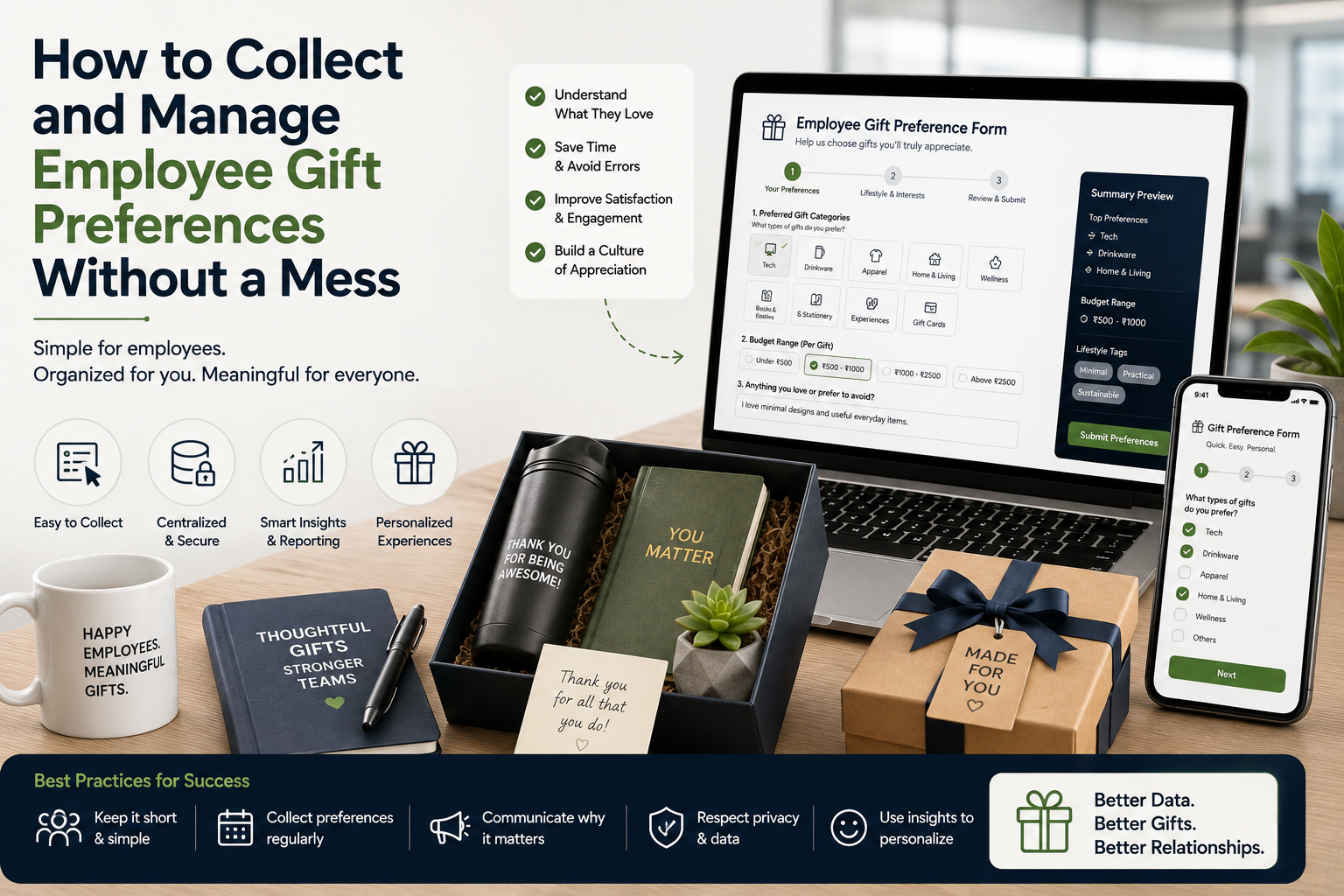
How to Collect and Manage Employee Gift Preferences Without a Mess
Employee gifting sounds straightforward until HR and People Ops teams need to collect preferences from hundreds or thousands of employees.
Which gift does each employee want? Who has submitted their choice? Who hasn’t responded? What happens when someone changes their selection? How should duplicate entries, missing information, and late responses be handled?
Without a structured process, a simple employee gifting survey can quickly become a spreadsheet nightmare.
This is why managing employee gift preference data should be treated as an organized operational workflow rather than a one-time survey.
A well-designed preference collection system can help HR teams reduce manual follow-ups, avoid incorrect gifts, simplify vendor coordination, and create a better employee experience.
The goal isn’t to collect as much information as possible.
It is to collect the right information, in the right format, through the right process, and then manage it securely and efficiently until the gifting campaign is completed.

Why Employee Gift Preference Data Matters
Employees don’t necessarily value identical gifts.
One person may prefer a premium bottle. Another may want a desk accessory, travel product, wellness item, or lifestyle gift.
Giving employees a limited choice can therefore make corporate gifting feel more relevant.
Preference data can help HR teams understand:
- Which gift categories employees prefer
- Which products have the highest demand
- Which options are unpopular
- How many units of each gift are required
- Which employees have submitted preferences
- Which employees still need to respond
- Whether specific locations have different requirements
Over multiple gifting campaigns, this information can also help HR make better decisions about future employee gifting.
However, collecting the data is only the beginning.
The real challenge is managing it without creating confusion.
1. Decide What Information You Actually Need
One of the biggest mistakes HR teams make is asking for too much information.
If employees only need to choose between three gifts, don’t create a 20-question survey.
A simple preference form might require:
- Employee ID
- Employee name
- Work email
- Department
- Location
- Gift preference
- Optional message or size, if relevant
Only collect information that serves a genuine operational purpose.
A useful principle is:
If the information isn’t needed to select, customize, pack, or deliver the gift, question whether you need to collect it at all.
2. Define the Gift Options Before Launching the Survey
Don’t start collecting employee preferences while the gift catalogue is still changing.
Finalize:
- Products
- Product descriptions
- Available variants
- Images
- Size options, where relevant
- Preference deadlines
- Selection rules
- Replacement policy
Employees should be choosing from a clearly defined set.
Changing options halfway through the collection process can create inconsistent data and unnecessary rework.
3. Keep the Number of Choices Manageable
More choice doesn’t always mean a better employee experience.
Offering 10 or 15 products may create significant inventory and procurement complexity.
For large employee gifting campaigns, consider offering around 2–4 carefully selected options, depending on the campaign.
For example:
Option A — Premium Bottle
Option B — Travel Organizer
Option C — Desk Essentials Kit
This gives employees some control without creating an inventory-management problem for HR.
4. Use One Official Collection Channel
Avoid collecting preferences through multiple channels.
For example:
- 300 employees through a form
- 100 through email
- 50 through Teams
- 25 through WhatsApp
- Several managers sending spreadsheets
This is how employee gift preference data becomes difficult to manage.
Choose one official channel for submissions.
The process should be:
Employee → Official Form → Master Dataset
If an employee contacts HR directly, HR can update the master record rather than maintaining a separate list.
5. Use Employee IDs as the Primary Identifier
Names aren’t always unique.
Two employees may have the same name, and names can also be entered differently.
For example:
Rahul Sharma
Rahul K. Sharma
RAHUL SHARMA
Employee ID provides a more reliable identifier.
A master dataset might look like:
| Employee ID | Name | Location | Gift Choice | Status |
|---|---|---|---|---|
| EMP001 | Rahul Sharma | Delhi | Bottle | Submitted |
| EMP002 | Priya Mehta | Mumbai | Desk Kit | Submitted |
| EMP003 | Amit Kumar | Bengaluru | — | Pending |
This makes reconciliation considerably easier.
6. Pre-Populate Employee Information Where Possible
If your organization’s approved tools allow it, don’t make employees manually enter information HR already has.
For example, the form could identify the employee through their company account and ask only:
Which gift would you prefer?
This reduces:
- Typing errors
- Duplicate records
- Incorrect employee IDs
- Incorrect names
- Data-cleaning work
The fewer fields employees need to complete, the easier it is to achieve a high response rate.
7. Define a Clear Submission Deadline
Every preference campaign needs a firm deadline.
For example:
Preference collection opens: September 1
Reminder: September 5
Final reminder: September 8
Preference closes: September 10
The deadline should be communicated clearly from the beginning.
Don’t leave the form open indefinitely.
An open-ended collection process creates uncertainty for Procurement and vendors because final quantities cannot be confirmed.
8. Build a Pending List
HR should know exactly who has not submitted a preference.
Instead of manually checking hundreds of responses, compare:
Total eligible employees
against:
Total submitted preferences
The difference becomes the pending list.
For example:
Eligible employees: 1,000
Responses received: 875
Pending: 125
This makes reminders targeted rather than sending unnecessary messages to everyone.
9. Use Automated Reminders Where Appropriate
Reminder messages should be systematic.
A useful sequence might be:
Initial Announcement
Explain the gift options and deadline.
First Reminder
Send to employees who haven’t responded.
Final Reminder
Clearly state the closing date.
Manager Escalation
For remaining employees, HR may ask managers to remind their teams.
This is much more efficient than repeatedly checking individual responses.
10. Don’t Allow Multiple Uncontrolled Submissions
Duplicate submissions can create serious problems.
Imagine an employee selects:
Option A
on Monday and then submits another response:
Option B
on Thursday.
Which preference should Procurement use?
Define the rule before launching.
For example:
The latest valid submission before the deadline will be treated as the final preference.
Or:
Employees can edit their existing response until the deadline.
The important thing is consistency.
11. Create a Single Source of Truth
Once preference collection begins, establish one master dataset.
This should become the definitive record for:
- Employee preferences
- Product quantities
- Customization
- Packing
- Procurement
- Fulfillment
Avoid maintaining several competing spreadsheets.
For example:
HR Preference Sheet
Procurement Sheet
Vendor Sheet
Manager Sheet
Final Gift Sheet
If all five contain different information, errors become inevitable.
Instead, establish one approved master record and create controlled exports for vendors or fulfillment teams.
12. Validate the Data Before Sending It to the Vendor
Never send raw survey responses directly into production.
First validate:
Employee ID
Does it exist?
Name
Does it match the employee record?
Gift Choice
Is it one of the approved options?
Location
Is it valid?
Size
If applicable, is it within the available size range?
Duplicate Records
Does the employee appear more than once?
Missing Fields
Is any required information missing?
This validation stage prevents small data problems from becoming expensive production problems.
13. Separate Preference Data From Sensitive HR Information
Employee gifting usually doesn’t require extensive personal information.
Keep the preference dataset focused.
For example:
Employee ID + Gift Preference + Required Fulfillment Information
may be enough.
Avoid unnecessarily combining gifting information with unrelated HR records.
Access should also be limited to people who actually need the information to execute the campaign.
14. Be Transparent With Employees
When collecting employee gift preference data, employees should understand why the information is being collected and how it will be used.
A short explanation can state:
- The information is being collected for employee gifting
- The selected preference will be used for fulfillment
- The deadline for changes
- Who employees can contact for support
Clear communication builds trust and reduces questions later.
15. Manage Apparel Preferences Differently
If the gifting campaign includes apparel, preference management becomes more complicated.
You may need:
- Employee ID
- Product
- Size
- Fit
- Color
- Quantity
For example:
EMP001 → Hoodie → L → Black
Size errors can be particularly difficult to resolve after production.
Where possible, provide a clear size chart and instructions before employees submit their preferences.
16. Convert Preferences Into Procurement Quantities
Once the response period closes, HR should convert individual preferences into aggregate quantities.
For example:
| Gift | Employees Selecting | Quantity |
|---|---|---|
| Premium Bottle | 420 | 420 |
| Travel Kit | 315 | 315 |
| Desk Kit | 240 | 240 |
| No Response | 25 | — |
This gives Procurement a clear purchasing requirement.
However, Procurement should also discuss a reasonable contingency quantity with the gifting vendor based on the campaign’s circumstances.
17. Don’t Forget Non-Responders
A major question is:
What happens if an employee doesn’t submit a preference?
Define this before launching the survey.
Possible approaches include:
Default Gift
Assign one predefined option.
Manager Selection
Allow managers to select for their teams.
HR Allocation
HR assigns a standard option.
Limited Stock Allocation
Assign based on remaining inventory.
The most important thing is to avoid making the decision after procurement has already begun.
18. Freeze the Final Dataset
After validation, create a final approved version.
For example:
Employee Gift Preferences — Final — September 10
This becomes the production reference.
After the freeze:
- New selections become exceptions
- Changes require approval
- Quantities should not be casually altered
- Vendor files should be version-controlled
A clear data-freeze process can prevent significant confusion.
19. Connect Preference Data to Fulfillment
Preference collection shouldn’t end with product selection.
The data needs to flow through the entire process:
Employee
↓
Preference
↓
Procurement Quantity
↓
Product Allocation
↓
Packaging
↓
Shipment
↓
Delivery
For customized gifting, the connection becomes even more important.
For example:
EMP001 → Premium Bottle → Rahul Sharma → Office Location → Shipment ID
This creates traceability from selection to delivery.
20. Track Changes and Exceptions
Not every issue can be prevented.
Employees may:
- Change departments
- Leave the company
- Request a different option
- Report a damaged gift
- Provide incorrect information
Instead of editing historical records without explanation, maintain an exception or change log.
For example:
EMP245 — Original: Option B → Changed to Option C → Approved by HR → September 12
This helps Procurement and HR understand what happened if questions arise later.
Common Employee Gift Preference Data Mistakes
Collecting Preferences Through Email
Email responses are difficult to consolidate at scale.
Allowing Unlimited Product Choices
Too many options can create inventory problems.
Not Using Employee IDs
Names alone can create duplicate or matching errors.
No Submission Deadline
Procurement cannot finalize quantities confidently.
No Default for Non-Responders
Creates last-minute uncertainty.
Sending Unvalidated Data to Vendors
Small errors can become production mistakes.
Maintaining Multiple Master Sheets
Creates conflicting versions of the truth.
Allowing Uncontrolled Changes After the Deadline
Can affect production and inventory.
A Simple Employee Gift Preference Data Workflow
HR and People Ops teams can use this process:
Step 1: Define the Objective
Determine why employee choice is being offered.
Step 2: Finalize Gift Options
Approve products, variants, pricing, and availability.
Step 3: Build the Form
Collect only necessary information.
Step 4: Launch the Campaign
Communicate choices and deadline clearly.
Step 5: Monitor Responses
Track submitted and pending employees.
Step 6: Send Reminders
Target only non-responders.
Step 7: Validate Data
Check IDs, choices, sizes, duplicates, and missing information.
Step 8: Resolve Exceptions
Handle unusual or incomplete records.
Step 9: Freeze the Dataset
Create the final approved preference list.
Step 10: Generate Procurement Quantities
Convert individual choices into product requirements.
Step 11: Share Controlled Production Data
Provide the vendor only with the information required to fulfill the order.
Step 12: Reconcile Fulfillment
Confirm that preferences match packed and delivered gifts.
How HR Can Make the Process Easier
The most effective employee preference systems follow three principles:
Keep It Simple
Employees should be able to submit their choice quickly.
Keep It Centralized
One official source should contain the final information.
Keep It Controlled
Deadlines, validation, approvals, and changes should follow defined rules.
This prevents a gifting campaign from turning into an endless sequence of spreadsheets, emails, and manual follow-ups.
Final Thoughts
Managing employee gift preference data doesn’t need to be complicated.
The problem usually begins when HR teams collect information without first designing the process that will manage it.
A successful employee preference workflow starts with a small number of clearly defined choices, a centralized collection method, employee IDs, a firm deadline, automated or targeted reminders, data validation, and a clear process for non-responders and late changes.
For larger organizations, the most important principle is simple:
Collect once, validate carefully, centralize the final data, and use that approved dataset throughout fulfillment.
When HR and People Ops teams treat employee preferences as structured operational data rather than informal survey responses, they can reduce errors, simplify procurement, improve vendor coordination, and give employees more control over the gifts they receive.
And ultimately, that’s the point of preference-based gifting.
Not just to give employees more choices—but to make the gift more relevant, useful, and appreciated.
Leave a comment